How to Reserve a WhatsApp Username on Andriod and iPhone (2026 Guide)
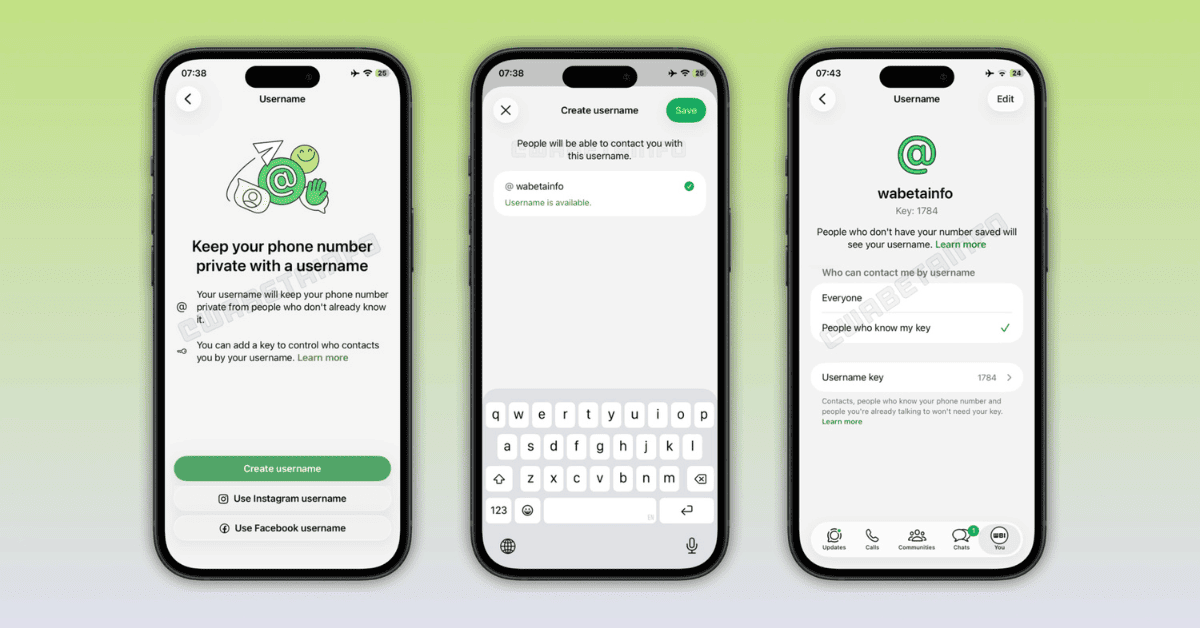
WhatsApp now lets eligible users reserve a unique username, allowing them to chat without sharing their phone number. To reserve yours, update WhatsApp to the latest version and go to Settings > Account > Username. If the feature is available for your account, choose an available username and save it.
Tip: If you prefer watching the process, you can watch the video tutorial below before following the written steps.
What Is a WhatsApp Username?
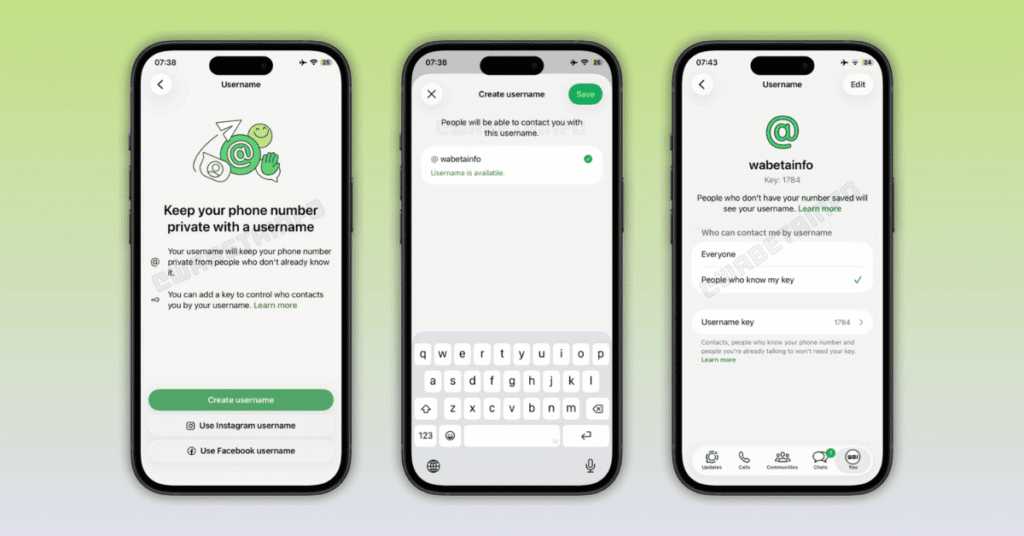
A WhatsApp username is a unique name that lets people contact you without knowing your phone number.
Instead of sharing your mobile number, you can simply share your username. This makes conversations with new people, communities, creators, businesses, and groups more private.
Usernames are optional, and you can continue using WhatsApp with your phone number if you prefer.
How to Reserve a WhatsApp Username on Android
Creating a WhatsApp username lets you chat with new people without sharing your phone number. Follow these steps to reserve or create your username on an Android device.
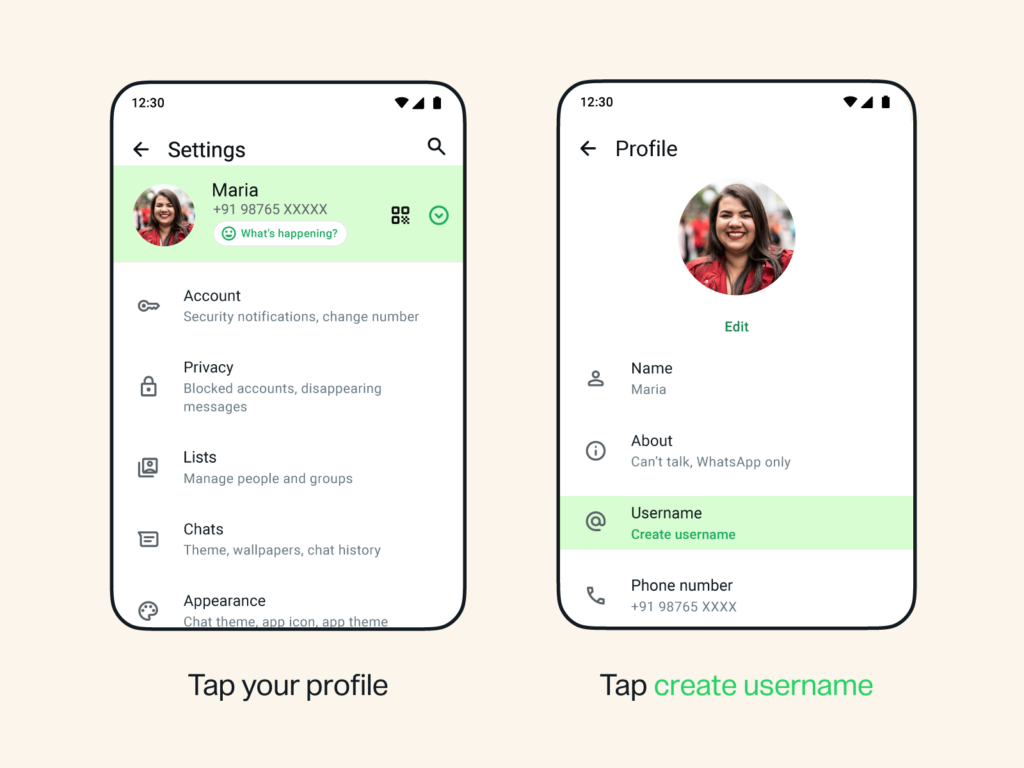
Step 1: Open WhatsApp Settings
Open WhatsApp on your Android phone.
Tap the three-dot menu in the top-right corner and select Settings.
Step 2: Open Your Profile
At the top of the Settings screen, tap your profile name and photo.
Step 3: Tap Create Username
Tap Create username.
If the feature is still rolling out in your region, you’ll see Reserve username instead. Tap it, then select Create username.
Step 4: Enter Your Username
Type the username you’d like to use.
WhatsApp will automatically check whether it’s available.
If your preferred username is already taken, you can try another one or use the suggested usernames provided by WhatsApp.
Step 5: Save Your Username
Once you’ve selected an available username, tap Save, then tap Done.
Your username is now reserved or created successfully.
How to Reserve a WhatsApp Username on iPhone
You can create a unique WhatsApp username on your iPhone to chat with new people without sharing your phone number. Follow the steps below to reserve or create your username.
Step 1: Open WhatsApp
Launch WhatsApp on your iPhone.
Tap You in the bottom-right corner to open your profile and settings.
Step 2: Open Your Profile
Tap your profile name and photo at the top of the screen.
Step 3: Tap Create Username
Tap Create username.
If usernames are still rolling out in your region, you’ll see Reserve username instead. Tap it to continue.
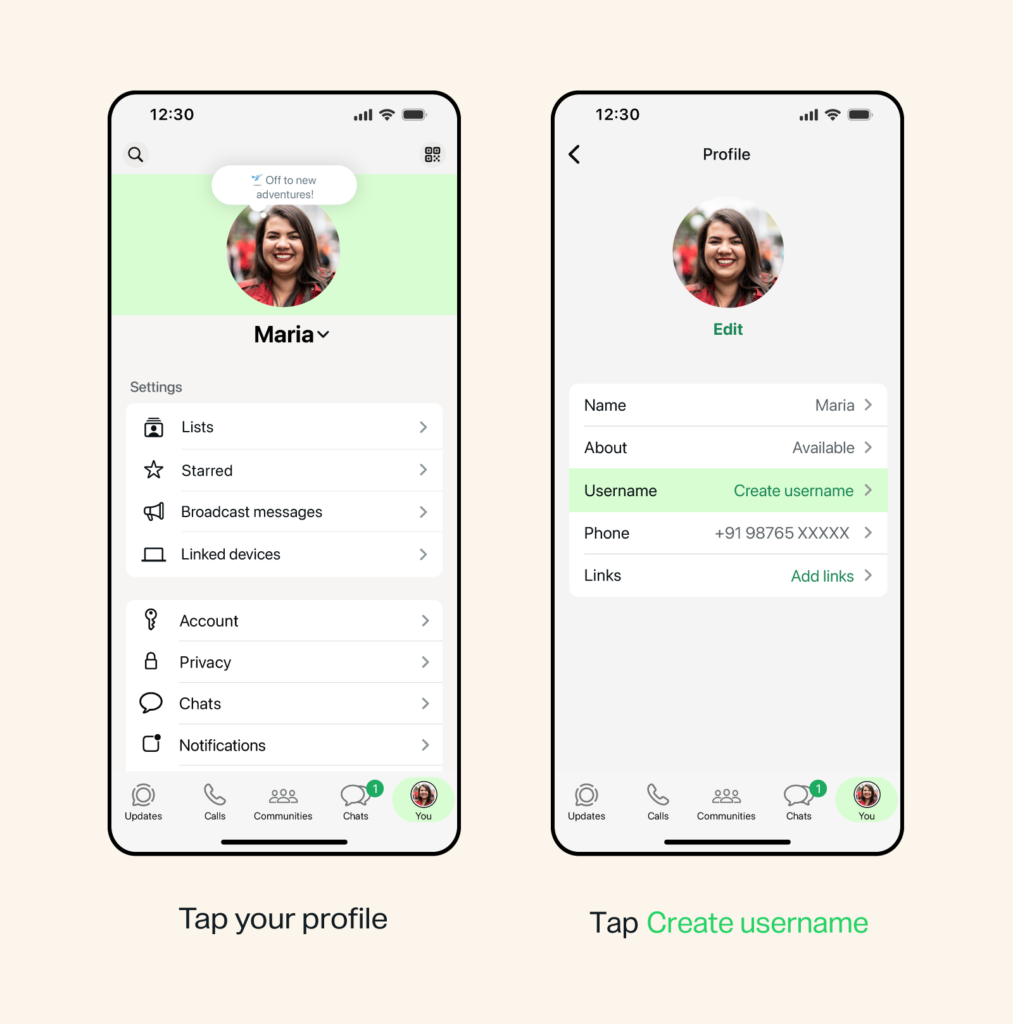
Step 4: Start Creating Your Username
Tap Create username to begin the setup process.
Step 5: Choose Your Username
Enter the username you’d like to use.
WhatsApp will automatically check if it’s available. If it’s already taken, you can try another username or choose one of the suggested options.
Step 6: Save Your Username
Once you’ve selected an available username, tap Save, then tap Done.
Your WhatsApp username has now been reserved or created successfully.
Watch the Full Video Tutorial
If you’d like to follow the process in real time, watch the complete video tutorial embedded below.
What Happens After Reserving Your Username?
After your username is activated:
- People can contact you using your username instead of your phone number.
- Your phone number can remain private when messaging someone for the first time.
- Your chats, contacts, and groups remain unchanged.
- Your username becomes another way for people to find and contact you.
Username Rules
Your WhatsApp username must:
- Be between 3 and 35 characters.
- Be unique.
- Follow WhatsApp’s username guidelines.
- Not already be claimed by another user.
Why Can’t I Reserve a Username?
If you don’t see the Username option, it may be because:
- The feature hasn’t rolled out to your account yet.
- You’re using an older version of WhatsApp.
- The feature isn’t available in your country yet.
WhatsApp is rolling out usernames gradually over the coming months.
Frequently Asked Questions
Is the WhatsApp username feature available for everyone?
No. WhatsApp is gradually rolling out usernames, so some users may need to wait before the feature appears.
Do I need to share my phone number after creating a username?
No. Once usernames are available and enabled, you can chat with new people using your username instead of sharing your phone number.
Can I use my Instagram username on WhatsApp?
Yes. Creators, businesses, and organizations can claim their existing Instagram or Facebook username if it’s linked through Meta Accounts Center.
Can two people have the same WhatsApp username?
No. Every WhatsApp username must be unique.
Can I change my WhatsApp username later?
Yes. WhatsApp allows you to update your username, subject to its availability and platform rules.
Is creating a WhatsApp username free?
Yes. Reserving and using a WhatsApp username is completely free.
Final Thoughts
WhatsApp usernames add an extra layer of privacy by letting you connect with people without sharing your phone number. Whether you’re chatting with new contacts, joining community groups, or managing a business account, usernames make it easier to stay connected while keeping your personal number private.
If you don’t see the feature yet, make sure you’re using the latest version of WhatsApp and check back as the rollout continues.